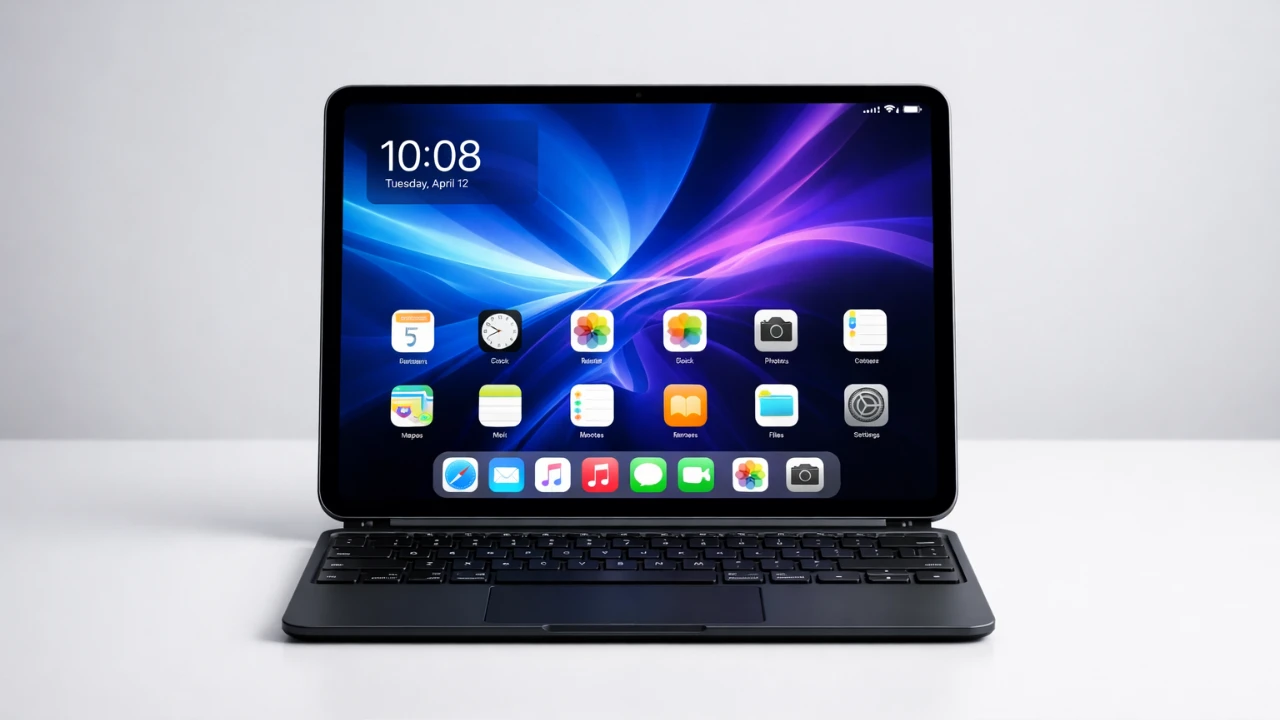
The iPad Air M4, powered by Apple’s advanced M4 chip, represents a bold attempt to bridge the gap between tablets and laptops. With its sleek design, robust performance, and versatile functionality, it appeals to casual users, students, and creatives alike. However, despite its strengths, the iPad Air M4 faces challenges in fully replacing a MacBook for professional workflows. The video below from Andrew Ethan Zang explores its design, performance, software capabilities, and overall usability to determine its potential as a laptop alternative.

Design and Portability: A Lightweight Productivity Tool
One of the most striking features of the iPad Air M4 is its portability. Weighing just over a pound, it is remarkably lightweight and easy to carry, making it an ideal companion for users who prioritize mobility. Its 13-inch Liquid Retina display provides a spacious and vibrant canvas for tasks such as writing, browsing, or sketching, offering a balance between portability and functionality. Whether you’re working in a café, traveling, or attending classes, the iPad Air’s compact form factor ensures convenience without compromising usability.
However, this portability comes with certain trade-offs. The iPad Air’s slim and sleek design, while visually appealing, lacks the rugged durability of traditional laptops. It is more prone to wear and tear, especially in demanding environments. For users who value portability over durability, the iPad Air M4 remains a compelling choice, but those seeking a more robust device may find it less suitable for their needs.
Performance: Impressive Power with Limitations
Equipped with Apple’s M4 chip and 12GB of RAM, the iPad Air M4 delivers performance that rivals many entry-level laptops. It handles resource-intensive tasks such as 4K video editing, photo retouching, and light graphic design with ease, showcasing the impressive capabilities of Apple’s silicon. Multitasking is smooth and responsive, with apps launching quickly and running efficiently. For casual users and creatives, the iPad Air M4 offers a seamless experience for everyday productivity and creative projects.
Despite its powerful hardware, the iPad Air’s potential is constrained by software limitations. iPadOS, while user-friendly and optimized for touch input, lacks the depth and flexibility of macOS. Professional-grade applications, such as those in the Adobe Creative Suite or Final Cut Pro, are often simplified versions on iPadOS, limiting their functionality for advanced workflows. For professionals who rely on complex software tools, these constraints can be a significant drawback, making the iPad Air more of a supplementary device than a primary work machine.
iPadOS: User-Friendly but Restrictive
iPadOS is designed to offer an intuitive and streamlined user experience, making it accessible to a wide range of users. Features such as split view, slide-over multitasking and the app dock enhance productivity by allowing users to manage multiple tasks simultaneously. For casual users, students and creatives, these features provide a straightforward and efficient workflow.
However, iPadOS also reveals its limitations when compared to macOS. Multitasking, while improved, still feels less fluid and intuitive than on a traditional laptop. The lack of full desktop-class applications and file management capabilities restricts the iPad Air’s usability for professional tasks. For instance, while Adobe Photoshop on iPadOS is functional for basic edits, it lacks the advanced tools and features available on its desktop counterpart. These software limitations highlight the challenges of using the iPad Air as a standalone device for complex workflows.
Battery Life: Sufficient but Not Exceptional
Apple advertises up to 10 hours of battery life for the iPad Air M4, but real-world usage often falls short of this claim. During activities such as video streaming, web browsing and light editing, the battery typically lasts between 6 to 8 hours. While this is adequate for most daily tasks, it may not meet the needs of users who require extended productivity without frequent recharging.
The lack of significant improvements in battery performance compared to previous generations is a missed opportunity, especially for a device marketed as a portable productivity tool. Users who rely on their devices for long workdays or travel may find the battery life limiting, necessitating the use of external power sources or portable chargers.
Accessories and Pricing: Enhancing Functionality at a Premium
The iPad Air M4’s functionality is significantly enhanced by accessories such as the Magic Keyboard and Apple Pencil. The Magic Keyboard provides a comfortable typing experience, complete with a trackpad for precise navigation, effectively transforming the iPad Air into a laptop-like device. The Apple Pencil, on the other hand, is a valuable tool for note-taking, sketching and creative tasks, offering precision and responsiveness that appeal to artists and designers.
However, these accessories come at a high cost. When combined with the iPad Air’s base price, the total expense can exceed that of an entry-level M5 MacBook Air. This raises questions about the iPad Air’s value proposition, particularly for users considering it as a laptop replacement. While the accessories unlock the iPad Air’s full potential, their premium pricing may deter budget-conscious buyers.
Strengths: Where the iPad Air Excels
The iPad Air M4 shines in areas that cater to casual users and creatives. Its lightweight design, powerful hardware and intuitive touchscreen interface make it a versatile and user-friendly device for a variety of tasks. Key strengths include:
- Lightweight and portable design, ideal for on-the-go productivity.
- Touchscreen interface enhances usability and creativity.
- Powerful hardware capable of handling demanding tasks.
- Optimized for casual use and focused workflows.
Weaknesses: Challenges to Overcome
Despite its strengths, the iPad Air M4 has notable shortcomings that limit its appeal as a laptop replacement. These weaknesses include:
- Software limitations in iPadOS restrict professional workflows.
- The outdated 60Hz display feels less competitive compared to higher refresh rate screens.
- Limited screen brightness reduces outdoor usability.
- Battery life falls short for extended productivity sessions.
Final Thoughts: A Complementary Device, Not a Replacement
The iPad Air M4 is a versatile and capable device that excels in portability and casual use. Its powerful hardware, intuitive design and accessory ecosystem make it an excellent choice for users seeking a lightweight, on-the-go solution. However, its potential is limited by iPadOS constraints and hardware trade-offs, preventing it from fully replacing a MacBook for professional tasks.
For casual users, students, and creatives, the iPad Air M4 offers a compelling blend of performance and portability. However, for professionals and power users, it is best viewed as a complementary device rather than a standalone work machine. Significant advancements in iPadOS and hardware innovation will be necessary for the iPad Air to achieve its full potential as a true laptop alternative.
Here are more detailed guides and articles that you may find helpful on M4 iPad Air.
Source & Image Credit: Andrew Ethan Zeng
Filed Under: Apple, Apple iPad, Guides, Top News
Disclosure: Some of our articles include affiliate links. If you buy something through one of these links, Geeky Gadgets may earn an affiliate commission. Learn about our Disclosure Policy.
Credit: Source link