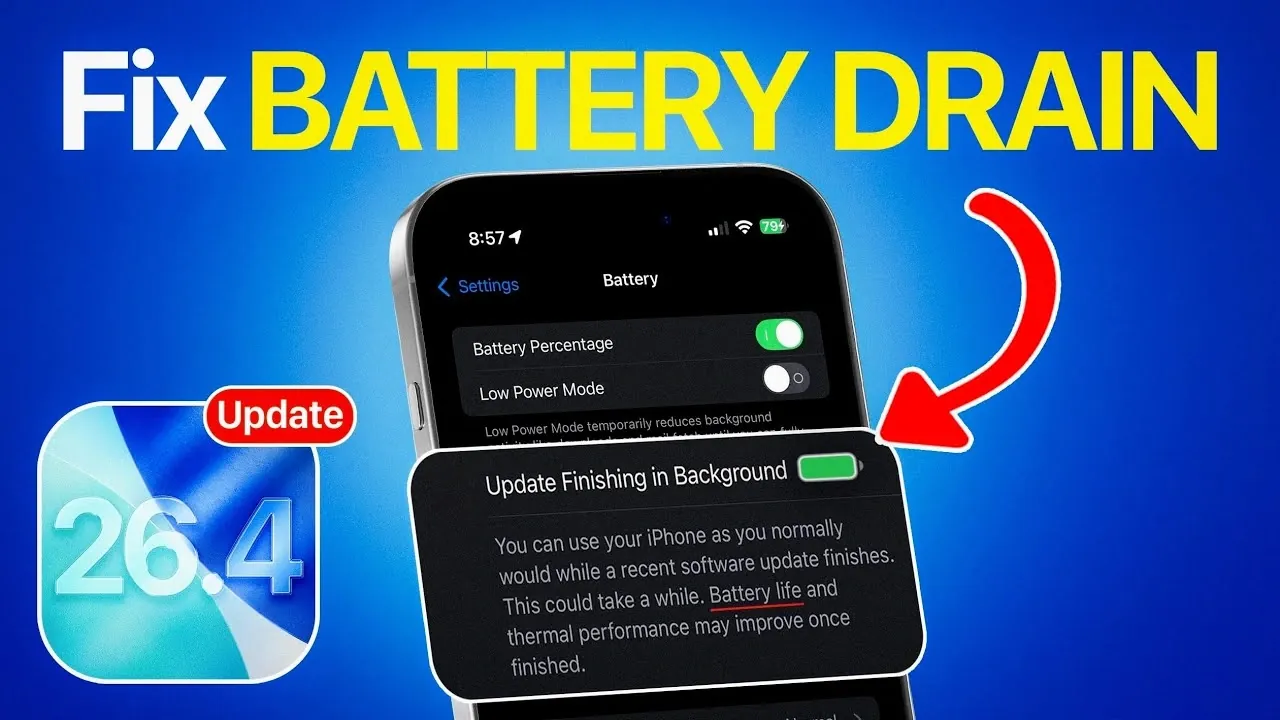
If your iPhone’s battery life has noticeably worsened after updating to iOS 26.4, you’re not alone. Many users have similar issues following major software updates. The cause is often temporary and can be addressed with a few targeted actions. The video below from iDeviceHelp explores why battery drain occurs after updates and provides practical steps to restore your device’s performance.
Why Battery Drain Happens After Updates
After installing a new iOS version, your iPhone undergoes several background processes to optimize the system. These include tasks such as file indexing, app reconfiguration and system recalibration. While these processes are essential for ensuring smooth operation, they can temporarily increase battery usage. You may also notice your device becoming warm during this period.
To confirm if these background tasks are the cause, navigate to Settings > Battery and check for a message indicating that updates are completing in the background. If this message appears, allow your device some time to finish these processes before assessing its battery performance.
Steps to Fix Battery Drain
If your iPhone’s battery continues to drain quickly, follow these steps to address the issue effectively:
1. Update Your Apps
Outdated apps can conflict with iOS 26.4, leading to excessive battery consumption. To ensure compatibility and improve efficiency:
- Open the App Store.
- Navigate to the “Updates” section.
- Install any pending updates for your apps.
Keeping your apps updated ensures they are optimized for the latest iOS version, reducing unnecessary power usage.
2. Check Your Battery Health
Your iPhone’s battery health plays a critical role in its overall performance. To check the status of your battery:
- Go to Settings > Battery > Battery Health.
- Review the “Maximum Capacity” percentage.
If the capacity is below 80%, your battery may be significantly degraded and could require replacement. However, if the battery health is above this threshold, the issue is likely software-related and can be resolved through adjustments.
3. Adjust Battery Settings
iOS offers several built-in tools to help you conserve battery life. To optimize your settings:
- Enable Auto-Lock to turn off the screen after a period of inactivity.
- Turn on Auto-Brightness to automatically adjust screen brightness based on ambient light.
- Disable Background App Refresh for apps that don’t need to run in the background.
These adjustments can significantly reduce power consumption and extend your device’s battery life.
4. Perform a Hard Reboot
If the above steps don’t resolve the issue, performing a hard reboot can help clear temporary glitches. To do this:
- Press the volume up button briefly.
- Press the volume down button briefly.
- Hold the side button until the Apple logo appears on the screen.
This process refreshes your system and can resolve minor software-related problems that may be affecting battery performance.
When to Seek Professional Assistance
If your iPhone’s battery continues to drain rapidly despite following these steps, it may indicate a more serious issue. Persistent problems could stem from a deeper software bug or a hardware defect. In such cases, contacting Apple Support or visiting an authorized service provider is recommended. They can perform a thorough diagnosis and provide solutions, such as replacing the battery or addressing software issues.
Practical Tips for Long-Term Battery Maintenance
To maintain your iPhone’s battery health and performance over time, consider these additional tips:
- Avoid exposing your device to extreme temperatures, as both heat and cold can degrade battery performance.
- Use Apple-certified chargers and cables to prevent potential damage to the battery.
- Enable Low Power Mode when your battery is running low or when you need to conserve power for extended periods.
- Regularly restart your device to clear temporary system glitches that may affect battery life.
Incorporating these habits into your routine can help prolong your battery’s lifespan and ensure consistent performance.
Final Thoughts
Battery drain after updating to iOS 26.4 is a common issue that can often be resolved with patience and a few adjustments. Allowing background processes to complete, updating your apps, checking battery health, optimizing settings and performing a hard reboot are effective steps to improve battery performance. If the problem persists, seeking professional help ensures that any underlying issues are addressed promptly. By following these strategies, you can maximize your iPhone’s efficiency and enjoy a better user experience.
Here are more detailed guides and articles that you may find helpful on iOS 26.4 battery drain.
Source & Image Credit: iDeviceHelp
Filed Under: Apple, Apple iPhone, Guides, Top News
Disclosure: Some of our articles include affiliate links. If you buy something through one of these links, Geeky Gadgets may earn an affiliate commission. Learn about our Disclosure Policy.
Credit: Source link